
How to Connect Mobile Internet on Laptop (or PC)

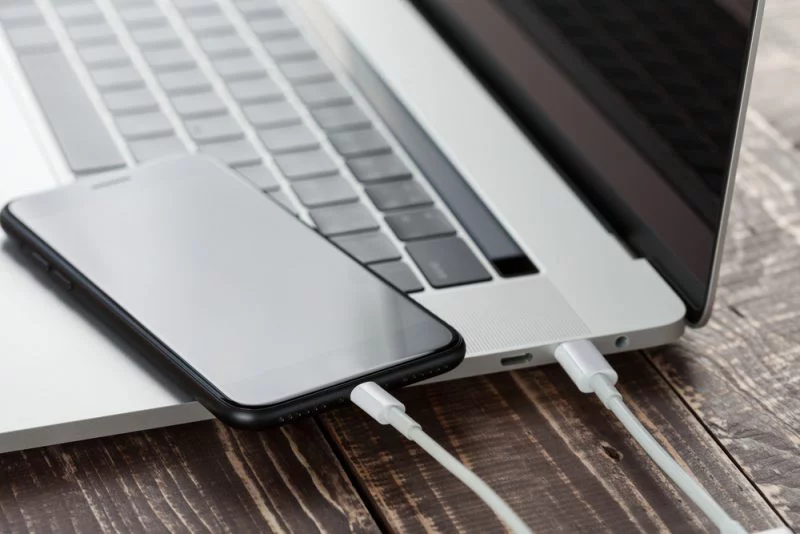
How to connect Mobile Internet on Laptop (or Desktop)
Hello friends, today I’m going to tell you many methods to connect the internet from mobile phones to laptops or PC. Refer to this article to Connect Mobile Internet on Laptop
People always wondered that there is only one way to connect mobile internet to a laptop i.e. hotspot. In this post, I’m going to explain each and every method step by step.
In PC and laptop, you can connect the internet via USB tethering. Mobile hotspots can also be used to connect the internet to the laptop. Bluetooth Tethering can also be used on a laptop.
Desktop PC doesn’t have wifi or BlueTooth but you can do it by adding a USB wifi adapter (or wifi LAN card) and USB Bluetooth adapter to pc.
Method 1: How to connect mobile internet to laptop via USB tethering.
Tethering: Tethering is the term used for connecting your mobile phone to a laptop or PC so your PC can get online via your phone’s mobile data connection.
Connecting mobile internet to a laptop with USB cable is a wired connection. In this method, mobile phones share their data connection with your Laptop or PC with the help of a USB cable. It is easy to do.
Step 1: Connects the USB cable that comes with your phone to the laptop. Then plug-in into the phone’s USB port.
Step 2: Configure your mobile phone for sharing mobile internet:-
- Open settings-> Network and internet-> Hotspot and Tethering
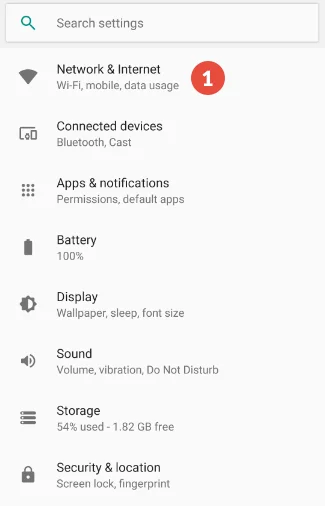
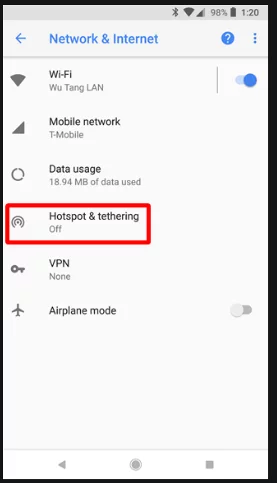
- Tap the USB Tethering Slider to enable it. If this blues out then make sure USB Cable is connected from both sides.
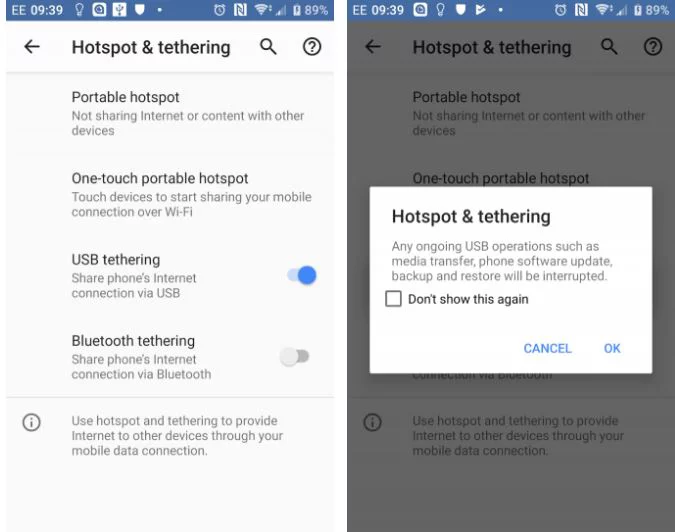
- The Hotspot Tethering warning will appear like the one shown above, informing that continuing will interrupt any existing data transfer from your mobile phone to laptop.
- Tap OK to proceed.
A notification icon should appear confirming that tethering is active.
Method 2: How to connect mobile internet to Laptop without USB Cable.
Another way to share mobile internet with a Laptop without cable is via Bluetooth Tethering.
Start by pairing your phone with your computer
Step 1: Open your phone settings-> Bluetooth
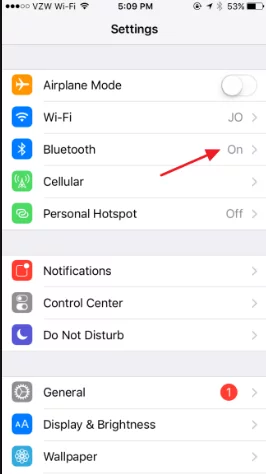
You can also do this by long-pressing the Bluetooth icon in quick settings.
Step 2: And all the devices on which Bluetooth is on are discoverable.
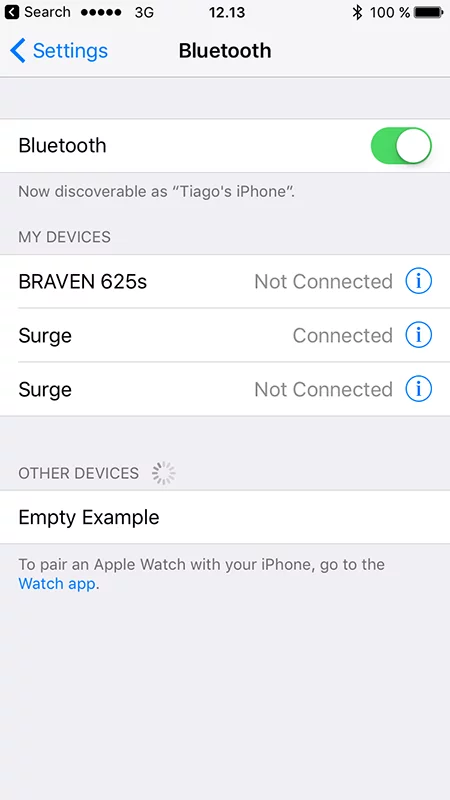
Step 3: On your Laptop press Win+I to open the Settings app.
Step 4: Select Devices->Bluetooth and other devices